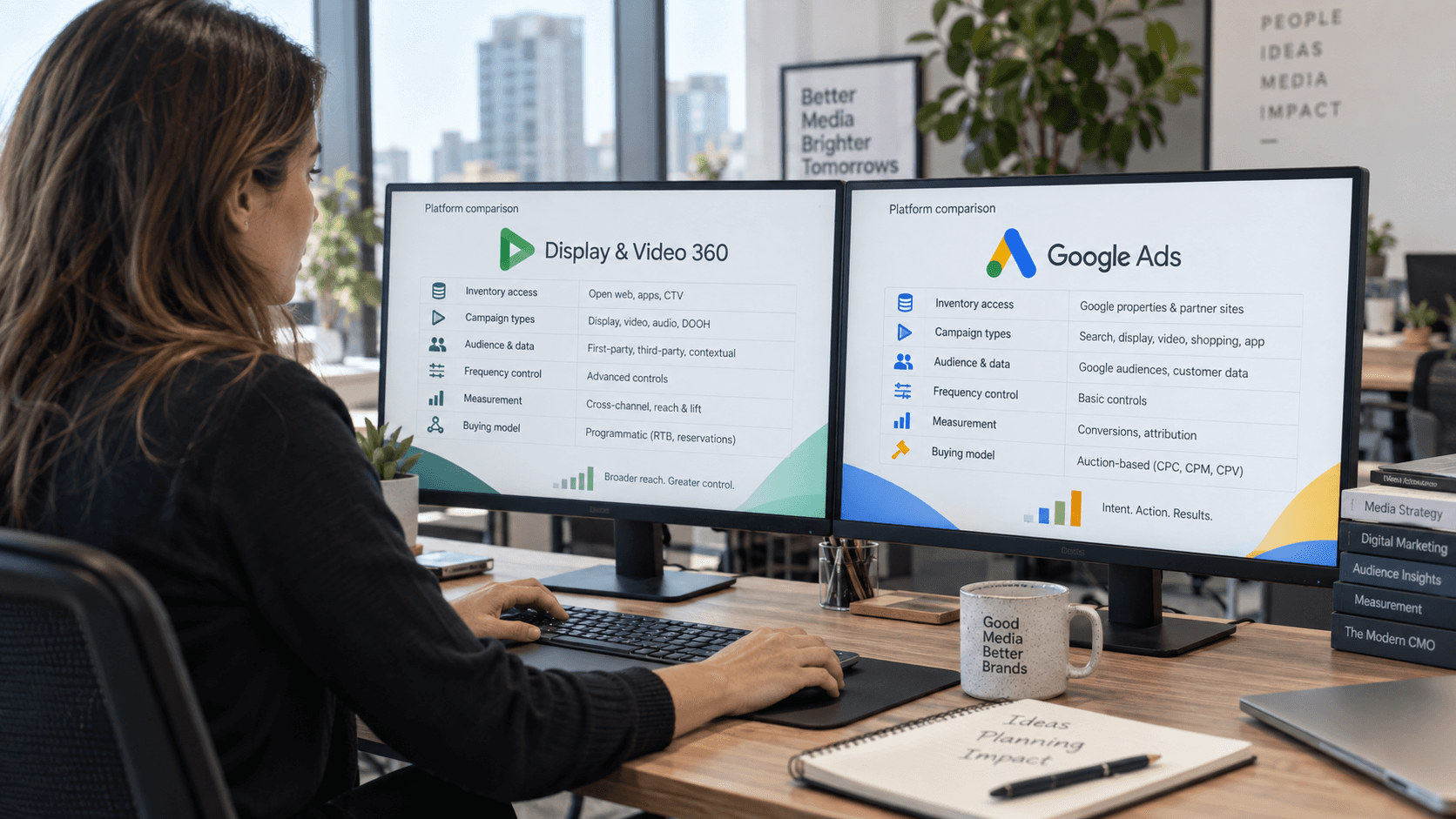

Google Ads and Display & Video 360 are both Google advertising products, but they are built for different jobs. The better choice depends on whether you need Search and Shopping, broader programmatic inventory, Connected TV, private deals, enterprise governance - or a combination of both platforms.
Last verified: September 10, 2026.
Google Ads and Display & Video 360 are not interchangeable.
Google Ads is usually the better starting point for Search, Shopping, app promotion and conversion-focused campaigns centered on Google inventory. DV360 is designed for advertisers and agencies that need enterprise programmatic buying across multiple exchanges, private deals, Connected TV, premium video, audio, digital out-of-home and more centralized media governance.
The right decision should follow the media requirement - not the idea that one platform is automatically “more advanced” than the other.
Quick answer: Use Google Ads when Search, Shopping or simpler YouTube activation is the priority. Use DV360 when you need enterprise programmatic inventory, connected TV, private marketplace deals, cross-channel frequency management and advanced measurement. Many larger advertisers use both.
DV360 vs Google Ads at a glance
Area | Google Ads | Display & Video 360 |
|---|---|---|
Best fit | Search-led and Google-focused performance marketing | Enterprise programmatic, cross-channel display/video and premium media buying |
Account access | Public account signup | Partner / advertiser structure and enterprise access model |
Search ads | Core strength | Not a Search campaign platform |
Shopping | Core strength | Not a substitute for Google Ads Shopping |
Performance Max | Core Google Ads campaign type | Not a direct replacement |
YouTube | Available | Available through YouTube & partners line items |
Open-web display/video | Available through supported Google Ads campaign types | Open-auction inventory across enabled exchanges plus private deals/packages |
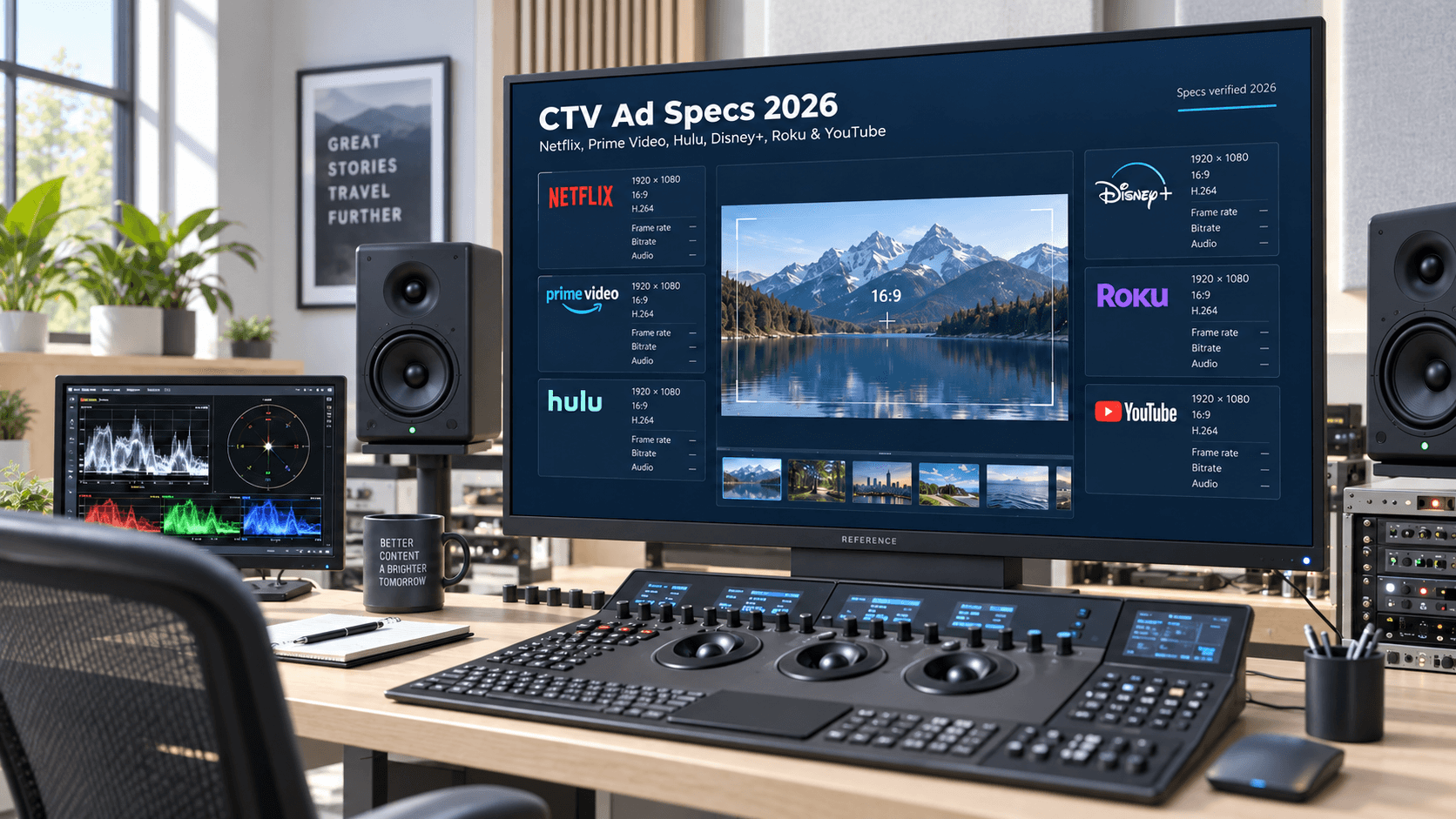
Connected TV | Available through eligible Google Ads video inventory | Dedicated CTV buying workflows, exchange inventory and deals |
Private marketplaces / deals | Limited compared with an enterprise DSP | Core programmatic workflow |
Audio | Available in selected Google Ads environments; not the main buying model | Dedicated audio buying workflows |
Digital out-of-home | Not a core Google Ads campaign type | Supported where eligible inventory is available |
Frequency controls | Available for eligible Display and Video campaigns | Campaign, insertion-order and line-item controls depending on workflow |
Measurement | Google Ads conversion measurement and attribution | DV360 reporting, Floodlight/CM360 integrations and enterprise measurement workflows |
Commercial model | Standard public account setup; campaign budget and auction costs | Media + contract-based platform fees and potentially partner/service/data/verification costs |
Google’s current Google Ads documentation lists Search, Performance Max, Display, Video, App and Shopping among its campaign types, while Google positions Display & Video 360 as an enterprise campaign-management and programmatic buying platform.
Sources: Google Ads - Choose the right campaign type · Google Marketing Platform - Display & Video 360
The most important difference: advertising platform vs enterprise DSP
Google Ads is designed to make Google advertising accessible.
Google provides a public account creation flow where an advertiser can enter business information, choose campaign goals and budget, add payment details and begin building campaigns.
Source: Google Ads - Create a Google Ads account
That makes Google Ads practical for businesses that need:
Search;
Shopping;
Performance Max;
YouTube;
Display;
app promotion;
lead generation;
ecommerce performance.
DV360 is structured differently.
It is an enterprise demand-side platform with more layers for programmatic media buying, including Partner and Advertiser access, campaigns, insertion orders, line items, inventory sources, deals, audience governance and reporting.
For a detailed explanation of access models, see How to Get DV360 Access.
Choose Google Ads when
Google Ads is usually the stronger choice when:
Search demand is central to the strategy.
Shopping feeds and Merchant Center matter.
Performance Max is a core part of the plan.
The advertiser wants direct account signup.
The media plan mainly uses Google inventory.
The goal is leads, ecommerce sales, app installs or another conversion-led use case that fits a Google Ads campaign type.
A smaller team needs fewer trafficking and governance layers.
The campaign does not require an enterprise DSP workflow.
Google Ads should not be treated as a “smaller DV360.”
It has capabilities DV360 does not replace - especially Search and Shopping.
Choose DV360 when
DV360 becomes more relevant when:
the plan requires open-web inventory across enabled exchanges;
Connected TV is a major channel;
premium streaming video is important;
private marketplace or preferred deals are required;
Programmatic Guaranteed buying is part of the plan;
audio or digital out-of-home is relevant;
multiple markets or business units require centralized governance;
campaign, insertion-order and line-item controls are important;
inventory-source decisions need to be managed directly;
frequency and brand-suitability controls need more structured governance;
Campaign Manager 360, Floodlight or third-party measurement is part of the workflow.
Google’s inventory-source documentation says that eligible DV360 line items can buy open-auction inventory across enabled exchanges and that private deals only become eligible when they are explicitly added to targeting.
Source: Google DV360 - Inventory source targeting
For cost and access structure, see DV360 Pricing & Access Cost Guide.
When using both is the best answer
For many established advertisers, the real answer is not DV360 or Google Ads.
It is DV360 and Google Ads with different jobs.
A common structure is:
Google Ads
Search;
Shopping;
Performance Max;
conversion-led YouTube;
app campaigns.
DV360
open-web programmatic display;
premium video;
Connected TV;
private deals;
audio;
digital out-of-home;
multi-exchange buying.
This lets Google Ads capture high-intent demand while DV360 builds broader programmatic reach.
The important requirement is measurement discipline.
If two platforms can claim the same conversion, their reported conversion totals should not simply be added together and presented as deduplicated business results.
Inventory: where can ads run?
Google Ads inventory
Google Ads campaign types determine where ads can appear.
Search campaigns reach users on Google Search.
Performance Max can access Google Ads inventory across multiple Google channels from a single campaign.
Display campaigns can reach users across websites, apps and Google-owned properties.
Video campaigns can run on YouTube and eligible partner environments.
Source: Google Ads - Choose the right campaign type
If an advertiser mainly needs Search, Shopping, YouTube and Google-focused performance inventory, Google Ads may cover most of the requirement without introducing a DSP.
DV360 inventory
DV360 is built around programmatic inventory sources.
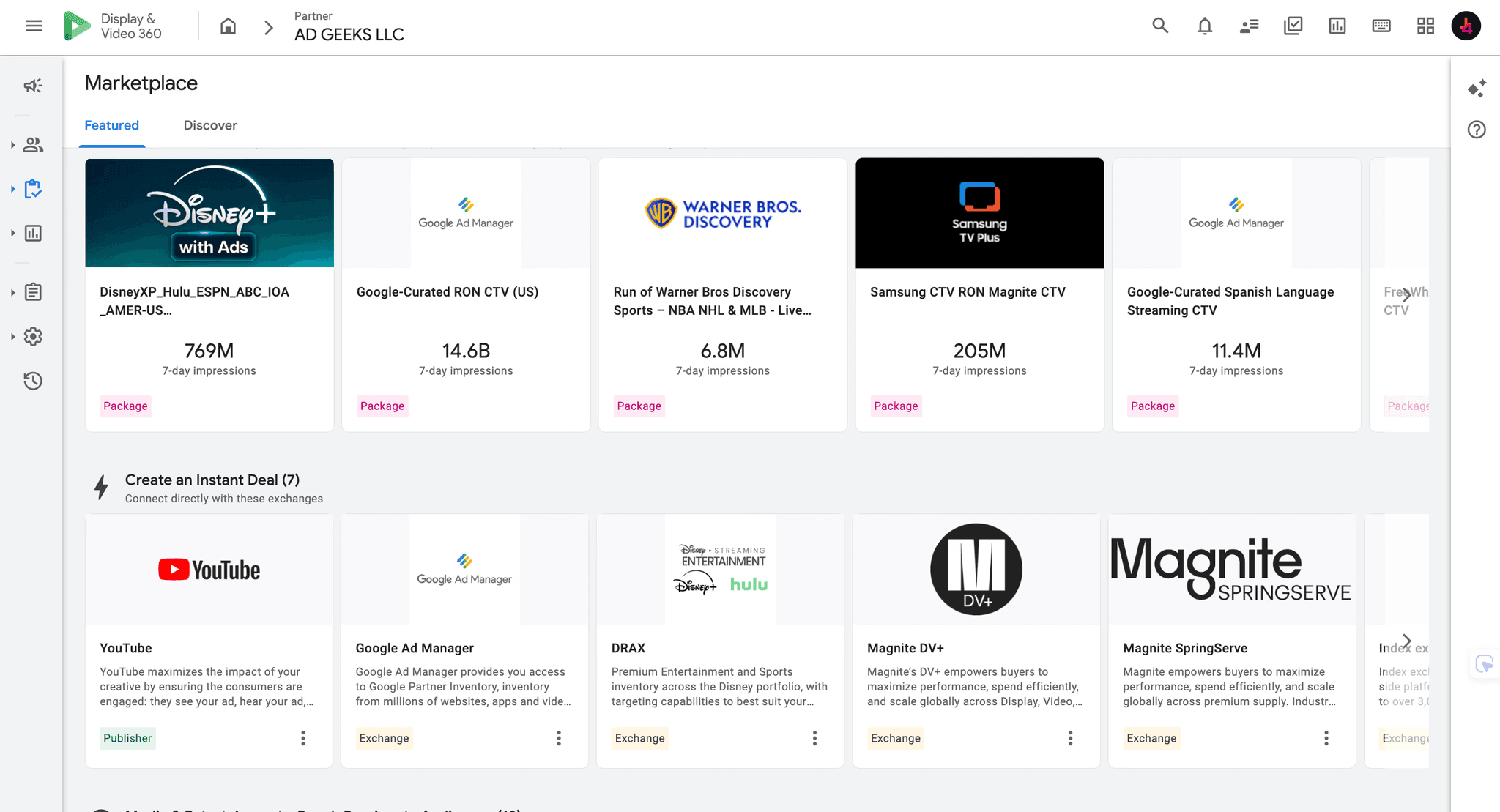
Google defines an inventory source as an exchange or private deal that supplies buyable impressions to a line item.
If no inventory-source targeting restriction is set, an eligible line item can target open-auction inventory across enabled exchanges by default.
Deals require explicit targeting.
Source: Google DV360 - Inventory source targeting
Depending on market, account and inventory eligibility, DV360 can support:
open-web display;
online video;
Connected TV;
publisher packages;
private marketplaces;
Programmatic Guaranteed;
audio;
digital out-of-home.
Sources: Google DV360 - Connected TV · Google DV360 - Purchase audio inventory · Google DV360 - Purchase digital out-of-home inventory
Search and Shopping: Google Ads wins clearly
This is the simplest decision point.
DV360 is not a Search campaign platform.
If you need:
keyword-based Search campaigns;
Google Search demand capture;
Shopping feeds;
Merchant Center product campaigns;
Performance Max with product feeds;
Google Ads is the relevant product.
Do not move Search or Shopping into DV360 just because DV360 is an enterprise platform.
Need to capture active search demand? Use Google Ads.
Need to buy broader programmatic media beyond Search? Evaluate DV360.
YouTube: both can buy it
Both Google Ads and DV360 can activate YouTube inventory.
In DV360, YouTube inventory is bought through YouTube & partners line items.
Google’s current documentation lists line-item workflows for brand awareness and reach, video views, Demand Gen and other eligible objectives.
Source: Google DV360 - Create YouTube & partners line items
The choice is therefore not simply:
“Can I buy YouTube?”
Both products can.
The better question is:
“What other channels, controls, measurement systems and operating workflows need to sit around YouTube?”
Google Ads may be better when
YouTube supports a Search, Shopping or Performance Max strategy;
the campaign is primarily Google-focused;
the team wants simpler account operations.
DV360 may be better when
YouTube is one part of a larger programmatic plan;
CTV and open-web video also matter;
private deals and publisher supply are part of the plan;
the team already uses enterprise trafficking or measurement workflows.
Connected TV: where DV360 becomes more distinct
DV360 has dedicated Connected TV workflows.
Google describes the CTV insertion order as a workflow tailored specifically to buying digital TV inventory across screens, with Connected TV and YouTube & partners on CTV line items.
Source: Google DV360 - Create a Connected TV insertion order
That makes DV360 particularly relevant when:
CTV is a major channel rather than a small test;
multiple publishers or streaming environments are involved;
private deals matter;
the team needs CTV-specific inventory and device controls;
reach and frequency need to be evaluated alongside broader programmatic activity.
For local CTV planning, read the CTV Geofencing Guide.
For a real premium-streaming workflow, see Netflix Advertising Through DV360.
Private deals and Programmatic Guaranteed
Private-deal workflows are one of the strongest reasons to consider DV360.
Google’s inventory documentation separates:
public open-auction inventory;
private deals;
packages.
Private deals must be added to line-item targeting to become eligible.
Source: Google DV360 - Inventory source targeting
DV360 also supports Programmatic Guaranteed workflows where eligible publishers and buyers can transact reserved inventory programmatically.
Source: Google DV360 - Programmatic Guaranteed deals
A deal does not guarantee campaign delivery by itself.
Creative approval, dates, geography, device, audience, pricing and line-item configuration still need to align.
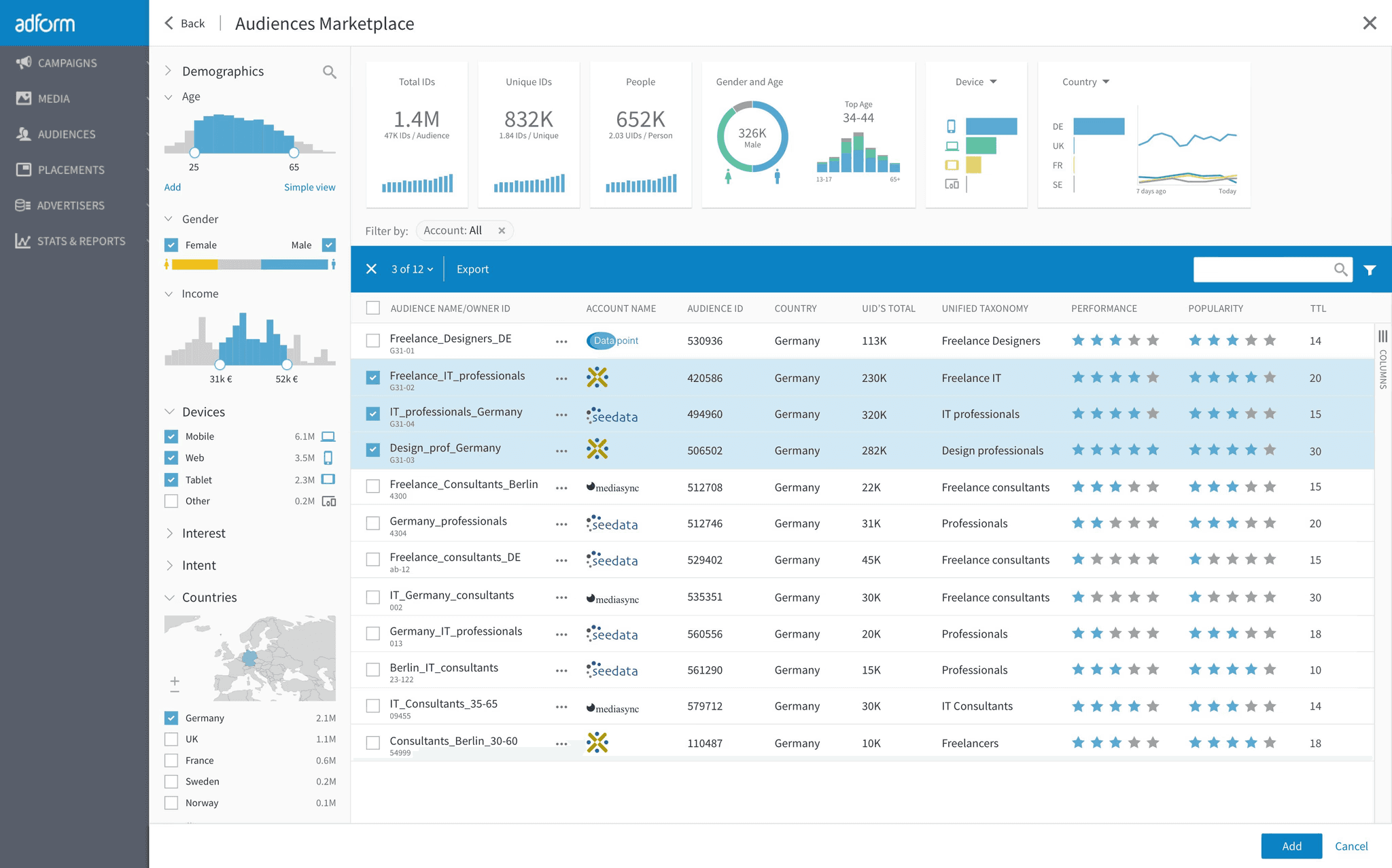
Audience targeting and first-party data
Both platforms support audience-based advertising and first-party data use, subject to product rules, consent requirements, privacy policies and market availability.
The difference is usually where those audiences need to operate.
Google Ads can be highly effective when the audience supports:
Search;
Shopping;
YouTube;
Display;
Performance Max.
DV360 becomes more relevant when audience planning needs to extend across:
multiple programmatic exchanges;
premium publisher inventory;
CTV;
private deals;
enterprise reporting;
external measurement.
Do not assume an audience available in one product or inventory type is automatically available in another.
Frequency management
Both products support frequency controls for eligible campaign types.
In Google Ads, frequency capping is available for Display and Video campaigns.
Google currently documents Display frequency caps at campaign, ad-group or ad level, while Video frequency caps are controlled at campaign level.
Source: Google Ads - Frequency capping
DV360 allows frequency controls at campaign, insertion-order and line-item levels depending on the workflow.
Source: Google DV360 - Manage frequency with frequency caps
The practical difference is not that one platform “has frequency” and the other does not.
It is how much programmatic inventory and campaign hierarchy the frequency strategy needs to govern.
Bidding, budgets and cost
Google Ads cost
Google Ads uses public account signup and campaign-level budgeting.
Google documents campaign budgets as average daily amounts, with monthly limits derived from those daily budgets.
Source: Google Ads - Choose your bid and budget
There is no separate enterprise DSP contract required just to create a standard Google Ads account.
DV360 cost
DV360 pricing is more layered.
Google’s current billing documentation separates:
media cost;
DV360 platform fee;
platform add-on fees;
third-party fees;
applicable surcharges;
taxes.
Google also states that the platform fee rates applied to a partner are defined by contract.
Source: Google DV360 - Fees and billable cost
Depending on the access model, an advertiser may also encounter provider-specific charges for:
platform/access;
managed service;
data;
verification;
creative;
reporting or measurement support;
premium inventory.
There is no single universal public DV360 minimum that describes every access arrangement.
For a full breakdown, read DV360 Pricing & Access Cost Guide.
Measurement and reporting
Google Ads provides campaign reporting, conversion measurement and attribution within the Google Ads environment.
DV360 can operate as part of a wider Google Marketing Platform stack.
When DV360 is linked with Campaign Manager 360, Campaign Manager 360 properties and Floodlight configuration can be used inside DV360.
Source: Google DV360 - Campaign Manager 360 properties used in DV360
Google also states that Floodlight can be managed from Campaign Manager 360 or DV360, depending on the account setup.
Source: Google Campaign Manager 360 - Manage Floodlight
That can make DV360 more suitable for organizations that need:
centralized programmatic reporting;
Floodlight-based conversion measurement;
cross-channel media governance;
third-party verification;
more customized reporting workflows.
But more complex measurement does not automatically mean better measurement.
A strong implementation still needs:
clear conversion definitions;
valid tracking;
agreed attribution rules;
consistent naming;
a source of truth;
deduplication between platforms.
For dashboard implementation, see DV360 to Data Studio (Formerly Looker Studio).
Ease of use and team requirements
Google Ads is generally easier for a smaller performance team to adopt directly.
DV360 introduces more operational layers:
Partner;
Advertiser;
Campaign;
Insertion Order;
Line Item;
Creative;
Inventory Source;
Deal;
audience governance;
permissions;
billing;
reporting.
Google’s current DV360 user-management documentation also distinguishes multiple roles and permission levels, including roles that restrict cost visibility.
Source: Google DV360 - Manage users
Before choosing DV360, decide who will:
design the campaign structure;
traffic and QA creatives;
manage inventory and deals;
monitor pacing;
optimize bidding;
handle reporting;
troubleshoot delivery;
manage platform support.
If those responsibilities are unclear, DV360 access alone will not solve the problem.
For managed support, see the DV360 Managed Service Guide.
DV360 vs Google Ads by scenario
Local lead-generation business
Start with Google Ads.
Search intent, local targeting and conversion-focused campaign types are usually more important than multi-exchange programmatic buying.
Ecommerce brand with a product feed
Google Ads is usually essential.
Shopping and Performance Max are natural starting points.
DV360 may be added for broader prospecting, premium video or CTV.
Brand launching across several markets
Consider using both.
DV360 can support centralized programmatic buying and governance.
Google Ads can remain active for Search, Shopping and other Google-focused performance campaigns.
CTV-led awareness campaign
Evaluate DV360 first.
This is particularly true when the plan spans multiple streaming publishers, premium inventory or private deals.
Search-led performance advertiser
Google Ads first.
There is no reason to add DV360 simply for platform prestige.
Agency managing complex programmatic buying
DV360 becomes more relevant.
Multiple advertisers, inventory sources, deals, reporting systems and governance requirements make the enterprise DSP structure more valuable.
Small team with limited programmatic experience
Start simple unless the media plan requires otherwise.
If DV360 inventory or deal access is necessary, consider partner, managed or hybrid support rather than assuming self-service is the best operating model.
A practical selection checklist
Before choosing, answer:
Is Search required?
Is Shopping or Merchant Center required?
Is Performance Max central to the plan?
Which publishers and exchanges must be available?
Is CTV a test or a core channel?
Are private deals required?
Is Programmatic Guaranteed required?
Which first-party audience inputs will be used?
How will frequency be governed?
Which platform will be the conversion-reporting source of truth?
Can the team operate DV360 directly?
What fees sit outside working media?
Does the campaign have enough budget and duration to justify the additional operational complexity?
If Search and Shopping dominate the answer, Google Ads is likely the primary platform.
If programmatic inventory breadth, CTV, private deals and enterprise governance dominate, DV360 deserves serious consideration.
If both matter, use both with distinct roles.
DV360 vs Google Ads: the bottom line
DV360 is not a universal upgrade from Google Ads.
Google Ads is not a simplified version of DV360.
Use Google Ads when the strategy is centered on Search, Shopping, Performance Max, app campaigns and Google-focused performance marketing.
Use DV360 when the media plan requires broader programmatic inventory, private deals, Connected TV, premium video, audio, digital out-of-home and enterprise campaign governance.
Use both when Google Ads captures high-intent demand and DV360 builds broader programmatic reach.
The platform decision should begin with the media requirement.
Not the platform logo.
Frequently Asked Questions
Is DV360 better than Google Ads?
Not universally. DV360 is stronger for enterprise programmatic buying, private deals, CTV and broader programmatic inventory. Google Ads is stronger for Search, Shopping and accessible Google-focused performance marketing.
Is DV360 part of Google Ads?
No. Both are Google advertising products, but Display & Video 360 is part of Google Marketing Platform and operates as a separate enterprise programmatic platform.
Can DV360 run Search ads?
DV360 is not a Search campaign platform. Search advertising belongs in Google Ads or another search-ad platform.
Can Google Ads run YouTube campaigns?
Yes. Google Ads supports Video campaigns on YouTube, and DV360 also supports YouTube through YouTube & partners line items.
Does DV360 have a minimum spend?
Google does not publish one universal public minimum that applies to every DV360 access arrangement. Commercial commitments can depend on the contract, Partner/provider, managed-service model and inventory being purchased.
Is DV360 more expensive than Google Ads?
It can have more cost layers because platform fees, service, data, verification and premium inventory costs may apply. The useful comparison is total campaign cost and operating model - not CPM alone.
Can small advertisers use DV360?
Potentially, through an appropriate Partner or managed-service arrangement. The more important question is whether the campaign actually needs DV360 inventory and controls.
Does Google Ads have frequency capping?
Yes, for eligible Display and Video campaigns. The exact control level differs by campaign type.
Is DV360 better for CTV?
DV360 is usually the stronger operating environment when CTV is a major multi-publisher programmatic channel, especially when exchange inventory and private deals matter.
Should an advertiser use both DV360 and Google Ads?
Yes, when each platform has a distinct role. For example, Google Ads can capture Search and Shopping demand while DV360 manages programmatic display, premium video and CTV. Measurement should be designed to avoid double-counting.