YouTube is now watched across phones, computers and television screens. The television screen changes the media-planning question: viewers are often farther from the device, several people may watch together and the response may happen later on another screen.
Advertisers can buy eligible YouTube connected TV inventory through both Google Ads and Display & Video 360. The decision is therefore not simply about access. It is about the operating model around the campaign: inventory scope, buying workflow, frequency, reporting, measurement and the team that will manage it.
Quick answer: Use Google Ads for a focused YouTube CTV campaign that needs fast setup, familiar controls and native Google Ads conversion reporting. Use DV360 when YouTube on TV sits inside a larger programmatic plan requiring insertion-order governance, broader CTV buying, enterprise reporting or cross-media planning. Both platforms can buy eligible YouTube CTV inventory.
Should YouTube CTV run through Google Ads or DV360?
Choose the platform that matches the wider media plan.
Decision area | Google Ads | Display & Video 360 | Availability, eligibility and market caveat
|
|---|---|---|---|
Best fit | Focused YouTube activation, smaller teams and campaigns connected to Search, Shopping or other Google Ads activity | YouTube inside a larger programmatic, CTV or enterprise media operation | A planning recommendation, not a product restriction. |
YouTube on TV access | Eligible Video campaigns and reservation inventory | YouTube & partners line items, including a streamlined Connected TV workflow | Campaign subtype, format, geography and account access apply. Some reservation products require a Google representative. |
Account structure | Campaign and ad-group workflow | Partner, advertiser, campaign, insertion order, line item, ad group and ad workflow | DV360 requires contracted platform access; permissions depend on the advertiser and partner setup. |
Other CTV inventory | Not designed as a multi-exchange CTV DSP | Can combine YouTube with eligible programmatic CTV publishers and deals in the same DSP | Publisher and streamer supply varies by market, seller, deal type and account. A DV360 seat does not guarantee every service. |
Targeting | Audience, demographic, content, location and eligible device targeting | Comparable YouTube targeting plus enterprise audience, deal and programmatic workflows where eligible | Available controls vary by campaign subtype, country, consent state, list size and audience eligibility. |
Frequency | Campaign-level caps for eligible auction video formats and a target-frequency campaign option | Frequency controls within the DV360 hierarchy and dedicated YouTube target-frequency line items | Manual capping and target-frequency optimization are different controls. Supported formats and target ranges vary by subtype. |
Reporting | Google Ads campaign, audience, reach, conversion and device reporting | YouTube reports plus DV360 reach, forecasting and broader programmatic reporting workflows | Metric availability varies by product and geography. CTV device conversions do not use every web measurement method. |
Reservation | Google Ads Reservation for eligible products | DV360 Instant Deals for eligible products | YouTube Select, Masthead and other products have separate market, format and access rules; some require Google support. |
Commercial model | Public account route with auction or reservation media costs | Media cost plus contract-based platform and possible partner, data, verification or service fees | Rates, minimums and fee structures are contractual and market-specific. |
Operational load | Lower | Higher, with more control and more trafficking layers | Actual workload depends on account design, number of markets and QA requirements. |
Capability check: Last verified October 2026. Official Google sources: Google Ads and Display & Video 360 Help Center pages accessed October 16, 2026. Google’s live Help Center does not display a stable publication or “last updated” date on these pages, so the access date is used as the source date.
Bottom line: Google Ads is usually the cleaner route for a YouTube-only plan. DV360 becomes more valuable when YouTube CTV must work with other programmatic video and CTV buys, private deals, enterprise governance or more customized reporting.
What counts as YouTube CTV advertising?
YouTube CTV advertising means YouTube video ads served on connected television screens, including smart TVs and streaming devices that run the YouTube app. It should not be confused with every YouTube impression in a campaign, because a standard Video campaign can also serve on computers, mobile phones and tablets.
In Google Ads, advertisers can keep all eligible devices or select specific device targeting for Video campaigns, including TV screens. In DV360, the dedicated YouTube & partners on Connected TV line-item workflow automatically applies inventory, device, format and bidding settings compatible with CTV.
Last verified: October 2026. Official Google sources accessed October 16, 2026: “Add targeting to your Video campaigns” and “Create YouTube & partners on Connected TV line items.”
That distinction matters for planning. A campaign labeled “YouTube” is not automatically a CTV campaign. Confirm device targeting, report by device type and agree whether success will be evaluated as TV-screen reach, all-device reach or both.
For production requirements across major streaming environments, use the CTV ad specs guide. For a market-by-market view of streamer access, see the Premium CTV inventory map.
Does DV360 unlock more YouTube CTV inventory?
Not automatically. Both products provide eligible YouTube buying routes. DV360 should not be presented as a hidden door to universally superior YouTube inventory.
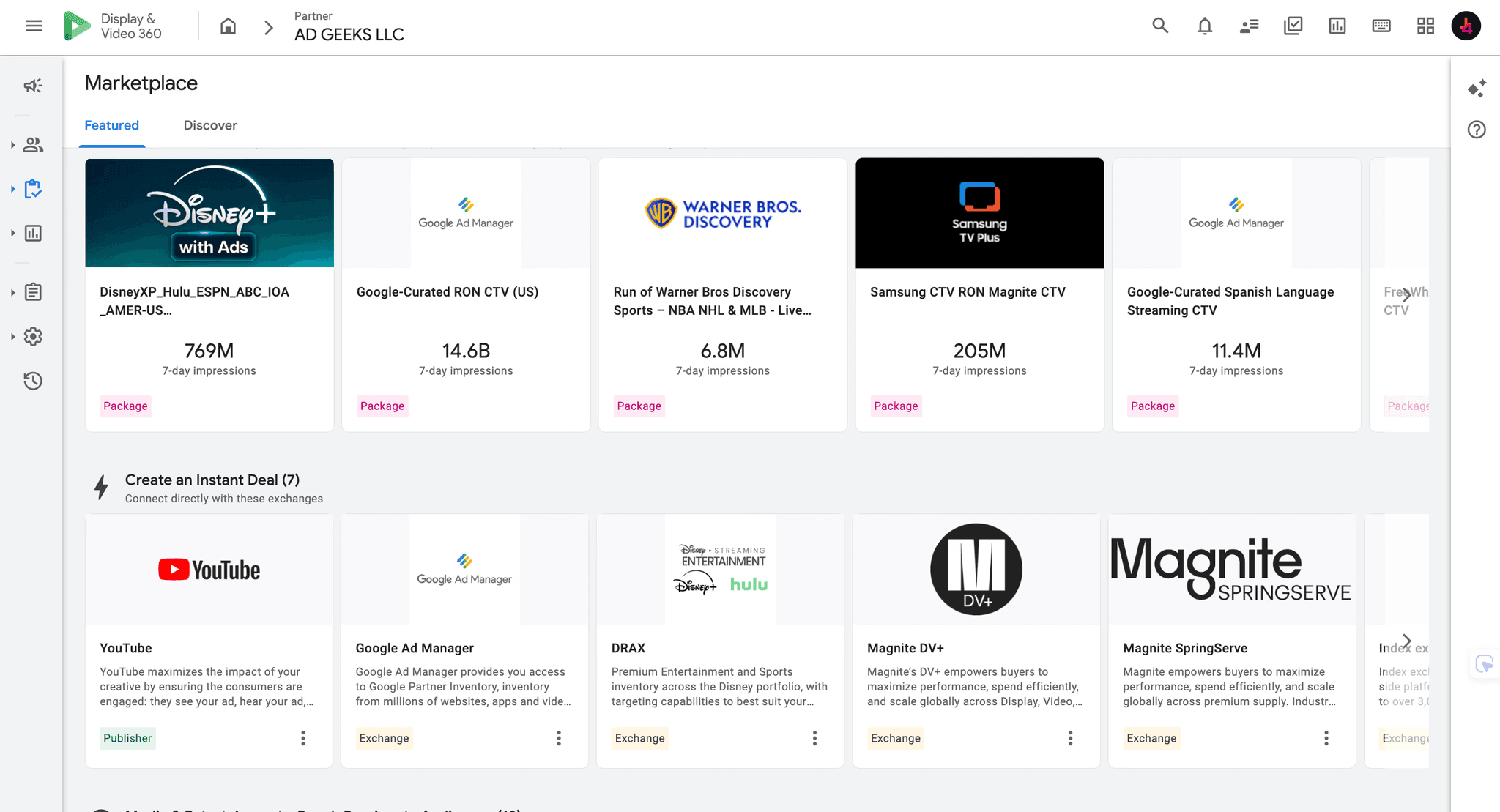
The practical DV360 advantage is the workflow around YouTube. A team can run YouTube & partners line items inside the same enterprise DSP used for eligible open-web video, connected TV publishers, private marketplace deals and programmatic guaranteed activity. That can simplify governance when the plan extends beyond YouTube.
Google Ads also supports auction video campaigns and YouTube reservation buying. Google states that reservation inventory can be bought through Google Ads Reservation or DV360 Instant Deals, with some products requiring access or support from a Google representative. Inventory availability still depends on market, account eligibility, format and the specific buying product.
Last verified: October 2026. Official Google source accessed October 16, 2026: “About reservation: Reserved media placements on YouTube.”
If the brief is “reach YouTube viewers on TV screens,” both platforms can be valid. If the brief is “manage YouTube, other CTV publishers and programmatic video under one operating structure,” DV360 is usually the stronger fit.
Which platform offers better targeting for YouTube CTV?
Both platforms support core YouTube targeting methods such as demographics, audience segments, location and content signals, subject to campaign type and market availability. Google Ads also allows eligible Video campaigns to target TV screens specifically.
DV360 adds value when targeting must connect to a broader programmatic setup. Its hierarchy separates campaign, insertion order, line item and ad-group decisions. This is useful for agencies and multi-market advertisers that need consistent naming, budgets, pacing and audience governance across several channels.
More controls do not always produce a better campaign. Narrow audience, placement, topic and device filters can reduce eligible inventory quickly. Google’s documentation also notes that each targeting method added to a Google Ads Video campaign narrows targeting. The same planning discipline applies in DV360: start with the audience and reach requirement, then add only the restrictions the brief truly needs.
First-party data may be useful on either route, but eligibility, list size, consent and privacy requirements still apply. Do not assume that an audience available for one campaign type or market will work identically everywhere.
Last verified: October 2026. Official Google sources accessed October 16, 2026: Google Ads Video targeting guidance and DV360 YouTube & partners line-item guidance.
How do formats and buying methods compare?
Common YouTube video formats include skippable in-stream, non-skippable in-stream and bumper ads. Eligible campaigns may also use multi-format inventory beyond the television screen, such as in-feed or Shorts. If the campaign must remain CTV-only, check the selected subtype and device settings rather than assuming every format will serve on television screens.
For auction buying, Google Ads offers Video campaign objectives and subtypes designed around reach, views or other goals. DV360 uses YouTube & partners line items with optimization choices such as efficient reach, non-skippable reach, target frequency, video views and ad sequence where available.
For reservation, both buying routes can support eligible products. YouTube Select, Masthead and other reserved placements have separate availability, access and pricing rules. Treat reservation as a specific media product, not as a universal setting that can be switched on for every account.
Last verified: October 2026. Official Google sources accessed October 16, 2026: “Create a Video reach campaign” and “About reservation: Reserved media placements on YouTube.”
How should frequency be managed on TV screens?
Frequency deserves special attention on CTV because a television impression may reach more than one viewer and repeated exposure can become obvious in a shared-room environment.
In Google Ads, manual frequency caps for Video campaigns are set at campaign level. Google documents caps based on impressions, views or both, with auction capping applying to eligible in-stream and bumper ads. Google Ads also offers target-frequency Video reach campaigns, which optimize toward an average exposure goal.
DV360 supports frequency management within its campaign structure and offers dedicated YouTube target-frequency line items. Those line items can optimize toward weekly or monthly goals and use supported bumper, skippable and non-skippable formats. Google notes that target-frequency optimization and manual frequency caps are different controls, so confirm which method the chosen subtype uses.
Last verified: October 2026. Official Google sources accessed October 16, 2026: “Use frequency capping,” “Create a Video reach campaign” and “Create YouTube target frequency line items.”
Do not choose a frequency target because it is available in the interface. Base it on campaign duration, creative rotation, audience size and the role of YouTube within the total video plan.
What reporting and measurement differences matter?
Google Ads is often enough when the team needs native campaign reporting, audience analysis, conversion reporting and a direct connection to the rest of its Google Ads activity.
DV360 provides YouTube-specific reports and also places the campaign inside a wider enterprise reporting environment. Google documents standard YouTube metrics such as impressions, views, view rate and cost-per-view interactions, while DV360 reporting can also support reach, forecasting and programmatic inventory analysis.
CTV measurement needs two important caveats:
Co-viewing: Google can account for multiple people watching an ad together on a connected TV in eligible reach metrics. Reported impressions and unique reach may therefore reflect more viewers than devices.
Cross-device response: the ad may appear on a television while the visit or conversion happens on a phone or computer. Measurement availability varies by product, geography and setup.
For DV360’s YouTube & partners on CTV workflow, Google says Floodlight conversion measurement is not available on the CTV device itself and recommends using YouTube Conversions for CTV performance. If additional device types are included, Floodlight may apply to those eligible environments. Define the primary KPI before launch so the reporting setup matches the buying route.
Last verified: October 2026. Official Google sources accessed October 16, 2026: “Create YouTube & partners on Connected TV line items,” “Report on YouTube & partners line items” and “Connected TV reporting and forecasting.”
Which route costs more?
There is no universal answer and no single CPM that represents every YouTube CTV campaign.
Media cost changes with geography, audience, season, format, auction pressure, reservation product, inventory quality and campaign objective. Google Ads is generally simpler commercially because a standard account does not require a separate enterprise DSP contract.
DV360 can include contract-based platform fees plus partner, managed-service, data, verification or creative costs. Those fees may be justified when the advertiser uses the wider DSP capabilities, but they should be visible in the plan.
Compare the routes on total cost and operating value:
media spend;
platform and access fees;
campaign management;
data and verification;
creative adaptation;
reporting and measurement;
the cost of fragmented buying if other CTV publishers are managed elsewhere.
For the broader platform economics, read DV360 vs Google Ads and the DV360 pricing and access guide.
Which platform fits each advertiser scenario?
A smaller advertiser running one YouTube awareness campaign
Start with Google Ads. The setup is faster, the account model is familiar and the campaign does not need an enterprise DSP merely because it includes TV screens.
A performance team connecting YouTube to Search and Shopping
Google Ads is usually the cleaner operating environment. Keep measurement definitions consistent and separate CTV reach from all-device performance when reporting.
A brand buying YouTube plus several CTV publishers
Evaluate DV360. Its value comes from managing YouTube alongside eligible programmatic CTV inventory, deals, frequency controls and reporting. Confirm each publisher route before launch because a DSP seat does not guarantee access to every streamer.
An agency managing markets, teams and approval layers
DV360 is often the stronger fit because insertion orders, line items, permissions and reporting support a more structured operating model. That structure also requires trained trafficking and QA.
What is the decision tree?
Is the plan YouTube-only? If yes, start with Google Ads unless enterprise governance or an existing DV360 setup makes the DSP more efficient.
Does the plan include other CTV publishers or private deals? If yes, evaluate DV360 and confirm deal-level access.
Must the campaign integrate tightly with Search, Shopping or Performance Max? If yes, Google Ads is usually the operational center.
Do you need insertion-order governance, multi-market permissions or customized programmatic reporting? If yes, DV360 is likely the better route.
Is reservation inventory required? Check product eligibility in both Google Ads Reservation and DV360 Instant Deals, then compare availability and terms.
Are both routes still valid? Compare forecast, total fees, measurement design and operational effort before choosing.
What should be checked before launch?
Separate TV-screen targeting from all-device YouTube where the brief requires CTV.
Confirm auction versus reservation and the exact campaign subtype.
Verify format, duration, aspect ratio, audio and YouTube upload status.
Set frequency controls that match campaign length and creative rotation.
Choose the appropriate inventory mode and content exclusions.
Confirm geography, audience eligibility and list size.
Define how co-viewing, reach, views and conversions will be reported.
Test landing pages and any CTV interaction, including Send to phone or eligible QR-code formats.
Document media cost, platform fees and service fees separately.
Run a device-level QA report after launch.
Ad Geeks plans and manages YouTube advertising and Connected TV campaigns across Google and wider programmatic inventory. We can compare the available buying routes, confirm measurement and build the campaign in the platform that fits the brief.
Frequently asked questions
Can Google Ads target YouTube viewers on TV screens?
Yes. Eligible Google Ads Video campaigns can include TV screens in device targeting. Advertisers should still confirm the campaign subtype, format and device report because not every YouTube impression is a CTV impression.
Can DV360 buy YouTube CTV inventory?
Yes. DV360 supports YouTube & partners line items and a streamlined YouTube & partners on Connected TV workflow. It can also place YouTube inside a broader programmatic and CTV plan.
Is DV360 always better for large YouTube budgets?
No. Budget alone should not decide the platform. DV360 is most useful when the campaign needs its governance, reporting or broader programmatic capabilities. A large YouTube-only campaign may still fit Google Ads.
Can both platforms buy YouTube reservation inventory?
Eligible reservation products can be accessed through Google Ads Reservation or DV360 Instant Deals, while some products require a Google representative. Availability varies by product, market and account.
Does a YouTube CTV impression represent one viewer?
Not always. Several people may watch together. Google uses co-viewing methodology for eligible connected-TV reach metrics, so impressions and unique reach can account for additional viewers.
Can one campaign run on TV screens only?
Eligible campaign types can use specific device targeting. In DV360, the dedicated YouTube on CTV workflow applies CTV-compatible settings by default. Always verify the saved configuration and post-launch device report.
Sources and verification
Google Display & Video 360, “Create YouTube & partners on Connected TV line items.” Live Help Center page; accessed October 16, 2026.
Google Display & Video 360, “Create YouTube & partners line items.” Live Help Center page; accessed October 16, 2026.
Google Display & Video 360, “Create YouTube target frequency line items.” Live Help Center page; accessed October 16, 2026.
Google Display & Video 360, “Report on YouTube & partners line items.” Live Help Center page; accessed October 16, 2026.
Google Display & Video 360, “Connected TV reporting and forecasting.” Live Help Center page; accessed October 16, 2026.
Google Ads, “Add targeting to your Video campaigns.” Live Help Center page; accessed October 16, 2026.
Google Ads, “Use frequency capping.” Live Help Center page; accessed October 16, 2026.
Google Ads, “Create a Video reach campaign.” Live Help Center page; accessed October 16, 2026.
Google Ads, “About reservation: Reserved media placements on YouTube.” Live Help Center page; accessed October 16, 2026.
Google Ads, “About content exclusions for Video campaigns.” Live Help Center page; accessed October 16, 2026.